Manage Multiple Websites
Goal
Avoid applying changes to the wrong website context.
Before You Start
- Confirm you are working on the correct website context.
- Use an account with permission for this module.
- Save changes before moving to another section.
Steps
- Open Your Websites.
- Use search/sort to find the target website quickly.
- Review the website status badge before entry.
- Click Go to website on the correct card.
- Confirm active website name in the workspace switcher.
UI Snapshots (Real Interaction)
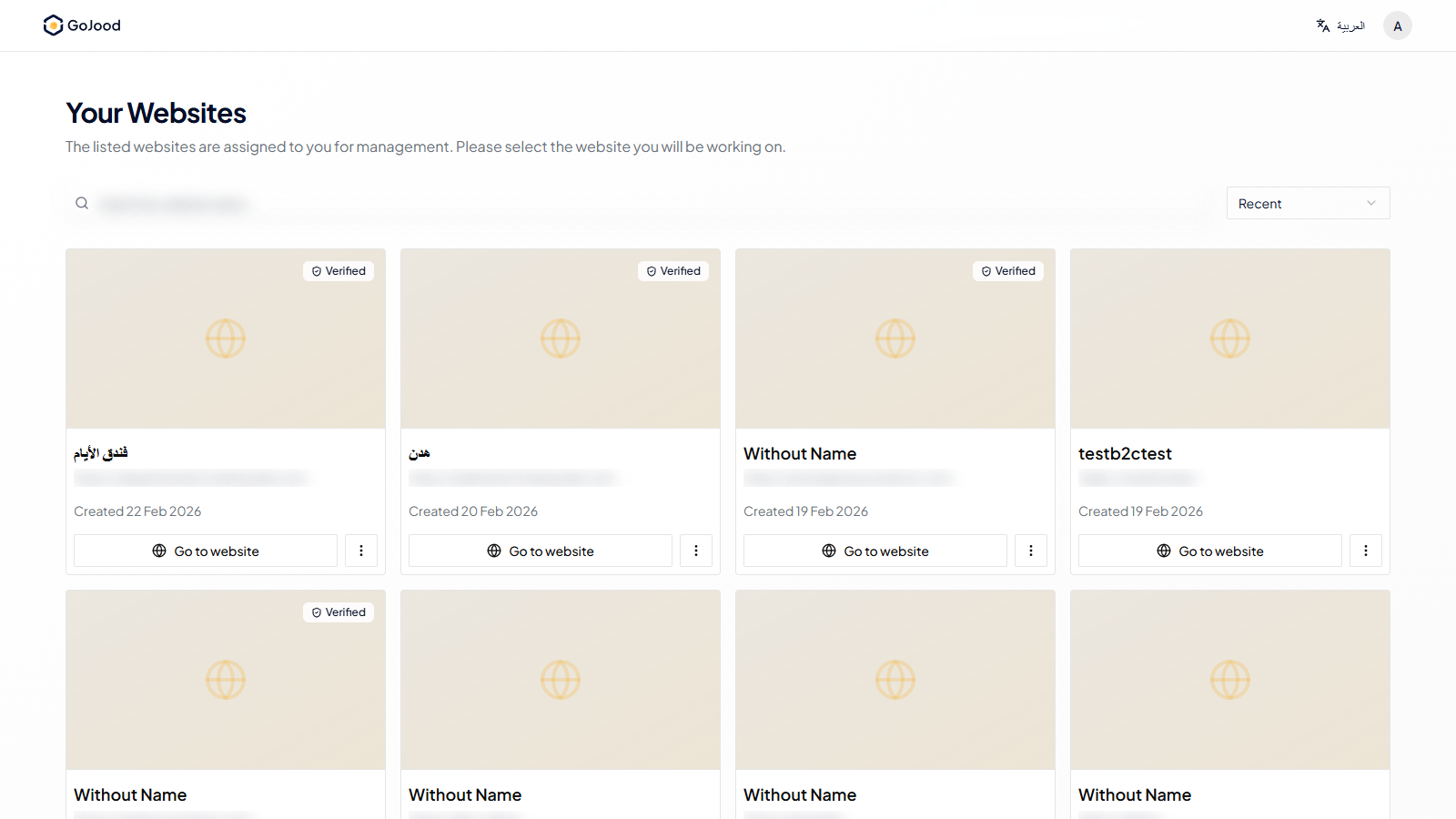
Caption: Website selection view before entering an operational workspace.
Verify After Completion
- Correct website is selected before edits.
- Active website label matches the intended target.
- No edits are made before context confirmation.
Troubleshooting
- If the update does not appear, run a full page refresh.
- If save fails, review required fields and validation errors.
- If the issue persists, share screenshot + exact steps with support.